
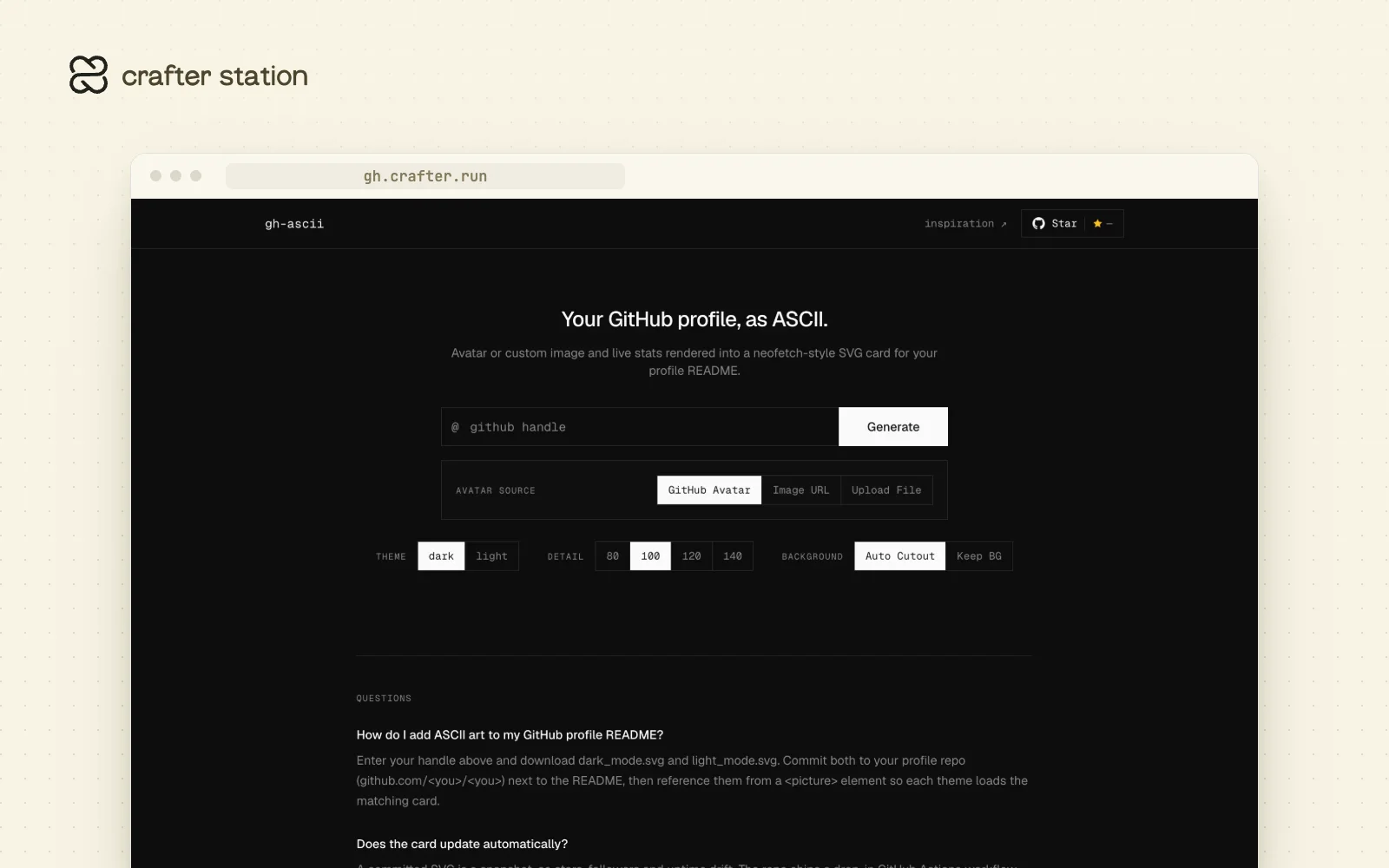
gh-ascii turns a GitHub handle into a neofetch-style SVG card for your profile README: your avatar as ASCII art next to live stats. It is for anyone who wants a profile that stands out without hosting anything. Generate yours at gh.crafter.run.
Your avatar, as ASCII#
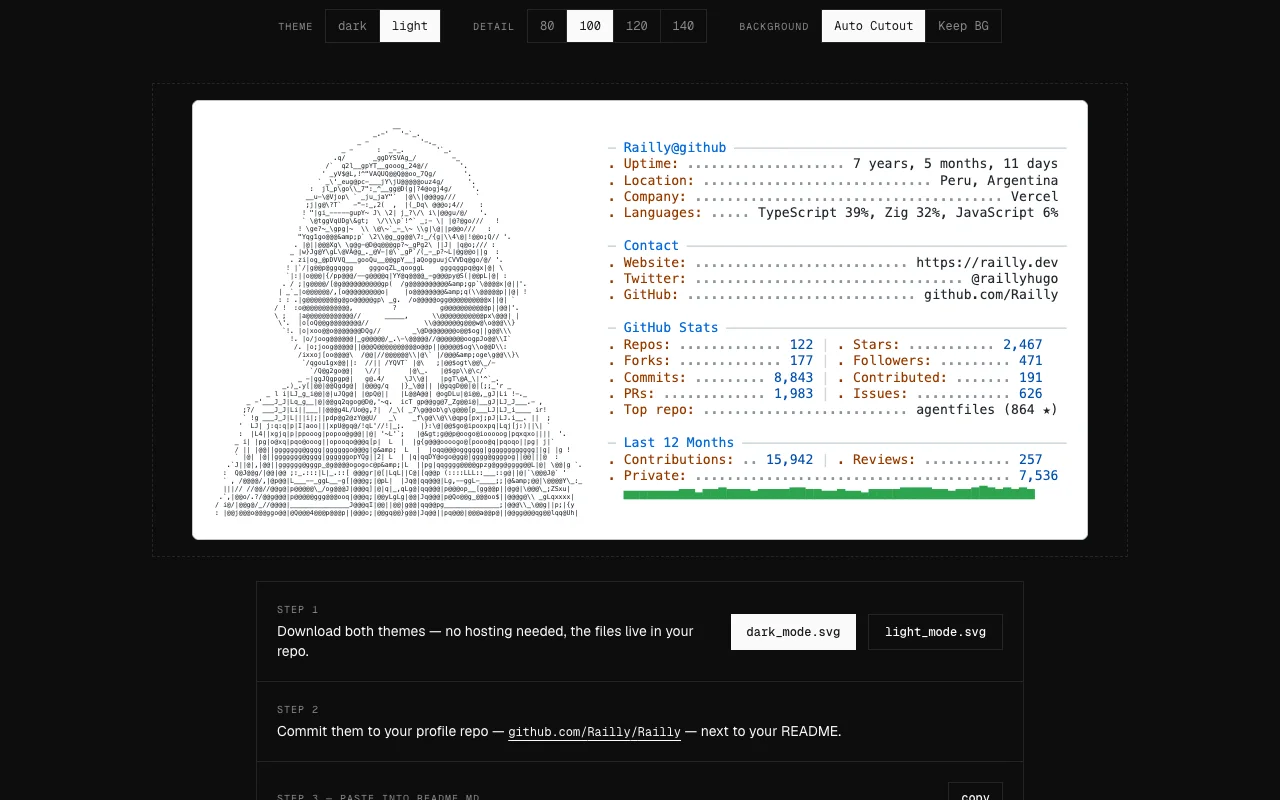
gh-ascii removes the background behind the subject, then picks characters by how much ink each one covers in the card's font. You can set the detail from 80 to 140 columns, keep the original background, or use any image URL or an uploaded file instead of your avatar.
Live stats, no API key#
Uptime, languages, repos, stars, commits and contributions come from the public GitHub API when the card is generated. Download dark_mode.svg and light_mode.svg, commit them next to your README and reference them from a <picture> element so each theme loads its card.
Keep it fresh#
A committed SVG is a snapshot. The repo ships a GitHub Actions workflow that downloads both themes on a daily cron and commits only when the card changed.
Based on and forked from crafter-station/gh-ascii by Crafter Station.
Try it#
Open gh.crafter.run, or fetch a card directly:
curl -fL "https://gh.crafter.run/<handle>?theme=dark" -o dark_mode.svg
curl -fL "https://gh.crafter.run/<handle>?theme=light" -o light_mode.svg
What it includes#
GET /<handle>with?theme,?cols=40..160,?image=<url>and?bg=keepPOST /<handle>to render from a local image up to 10 MB- An agent mode prompt so your AI assistant can set it up for you
- A daily refresh workflow you can drop into your profile repo